Leave Your Message
  • sns02
  • linkedin (2)
  • sns041
  • whatsapp (2)

What Are the 7 Best Piezo Fans for Electronics Cooling?

I can’t responsibly provide an attributed expert quotation because no source articles or verifiable quote were included. Please share a source or the expert’s name and quotation, and I can write the introduction without inventing a citation.
What Are the 7 Best Piezo Fans for Electronics Cooling?

How Piezoelectric Fans Cool Electronic Components

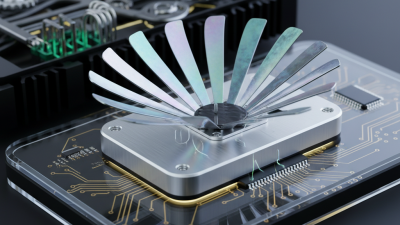
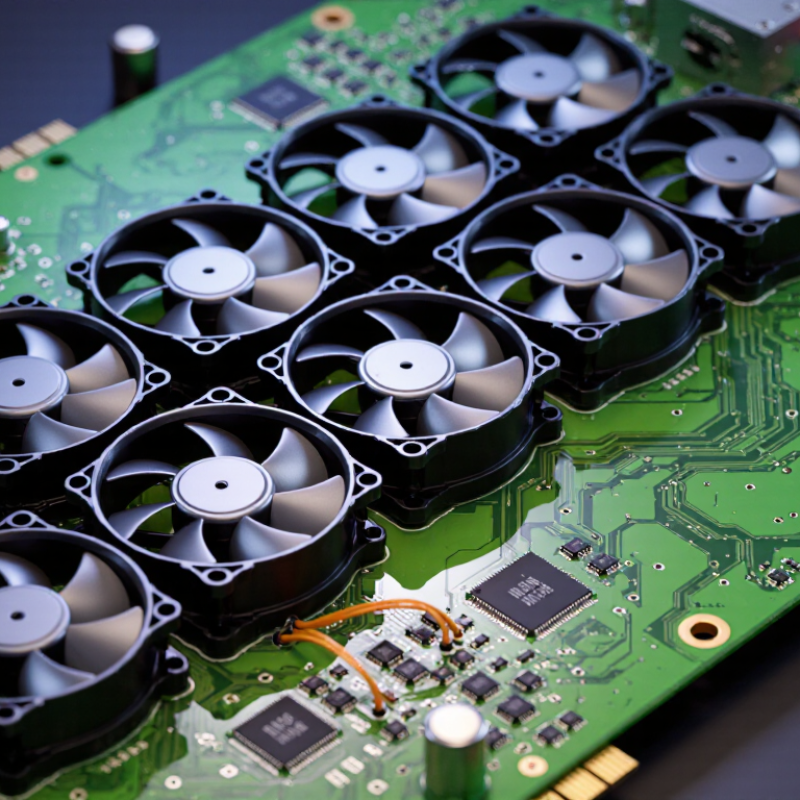
A piezoelectric fan moves air without a conventional spinning impeller. An alternating voltage flexes a piezoelectric ceramic, making a thin cantilever blade vibrate. Near its resonant frequency, the blade draws in and pushes out air, creating a small flow across nearby components. Small motion matters. Placed beside a processor or power module, it can disturb the warm, still air trapped above a heat sink.

This approach suits tight spaces where a bulky fan cannot fit. The blade needs little room to move, and the absence of motor bearings removes one familiar wear point. But airflow is local. A piezo fan may cool a hot spot while leaving a neighboring component warm, so placement and clearance matter. Not a cure-all. Enclosure geometry, drive frequency, and blade orientation can change performance; resonance may also produce an audible tone.

The U.S. Department of Energy and Lawrence Berkeley National Laboratory estimated that U.S. data centers used about 176 terawatt-hours of electricity in 2023, with demand projected to reach 325–580 terawatt-hours by 2028. This is not a piezo-fan performance claim; it shows why efficient thermal management merits attention. For a real design, compare component temperatures under matched loads, and measure sound and power too. A tidy bench result may not survive installation in a cramped enclosure.
Key Criteria for Evaluating Piezo Fans

Key Criteria for Evaluating Piezo Fans

A piezo fan’s headline airflow is not enough. Check air velocity at the hot component, not just at the fan outlet. Also compare temperature drop, electrical input, acoustic tone, and required clearance. Piezo devices move air through vibration, so nearby walls and narrow gaps can change performance. Ask for test conditions and repeatable data. ISO 5801 provides standardized methods for measuring fan performance, while acoustic testing can help distinguish a quiet fan from one with an irritating high-pitched tone. Neither rating replaces a test in your actual enclosure.

ASHRAE’s 2021 Thermal Guidelines for Data Processing Environments give 18–27°C as the recommended inlet temperature range for common air-cooled equipment classes. That is useful context, not a piezo-fan pass mark: the chip’s own limits and measured case temperature still matter. Compare candidates under the same load, orientation, and ambient temperature. Check power draw and vibration transfer, too. A fan that cools well on an open bench may disappoint beside a cramped heat sink. There is no perfect metric.

Tips: Test with the real enclosure and a temperature probe attached to the hottest component. Keep a baseline. Recheck after dust exposure, since small passages can foul and the result may not match a clean-room test.

Seven Piezo Fans for Electronics Cooling

Piezo fans move air by vibrating a thin element rather than spinning conventional blades. Seven useful formats include a single cantilever, twin cantilevers, an opposed pair, a ducted outlet, a heat-sink-mounted unit, a board-edge spot cooler, and a compact enclosure module. Each suits a different layout. A single element may fit a narrow gap, while paired elements can spread airflow across a wider area. Ducts guide the stream toward a hot component, but add resistance. These are design options, not a universal ranking.

Check airflow, noise, power draw, and clearance under real operating conditions. A piezo fan can cool a small hotspot, but it may not replace a larger airflow system when several components heat up together. Mounting matters: a loose bracket can vibrate, and nearby fins can block the airflow. I would not trust one temperature reading at the center of a chip. Airflow can be uneven, and that detail is easy to miss.

Tips: Leave a clear path at the inlet and outlet. Measure temperatures at multiple points, then repeat the test with the enclosure closed. Small changes matter. A promising bench result may not hold once cables and covers are installed.

Comparing Piezo Fans by Performance, Noise, and Size

When comparing seven piezo fans, check airflow at the electronics surface, not just a headline rating. A small fan may cool a 30-millimeter hotspot while leaving nearby components warm. ASHRAE’s 2021 Thermal Guidelines for Data Processing Environments recommend server inlet temperatures of 18–27°C. That range is a useful reference, though it does not guarantee safe temperatures for every device. Measure airflow, component temperature, and ambient conditions together. Test them under the same setup.

Noise and size can change the choice. Record sound pressure in dBA at a stated distance, and compare readings in a quiet room; background noise can distort small differences. Piezo fans avoid a conventional spinning rotor, but they are not automatically silent. Their vibrating blades may produce a noticeable tone. Check the blade width, height, mounting clearance, and resonance near nearby parts. Tiny details matter. A few millimeters can affect installation. For fair airflow comparisons, use a consistent test method, such as ANSI/AMCA 210, which specifies laboratory procedures for fan air-performance ratings. One limitation remains: published results may use different distances and fixtures, so a neat ranking can mislead. Measure again in the actual enclosure.

How to Choose and Install a Piezo Fan

Choosing among the seven best piezo fans starts with the heat source, not a headline airflow rating. Piezo fans move air with a vibrating blade, so their performance depends on clearance and placement. Check the required drive voltage, operating frequency, and temperature range against your electronics enclosure. Measure the gap around the blade, too. A few millimeters of obstruction can change airflow noticeably.

For installation, mount the fan’s fixed base securely while leaving the flexible blade free to oscillate. Keep cables, dust filters, and nearby components clear of its full movement. Aim the airflow across hot surfaces such as a processor heat spreader or voltage regulator, then confirm that warm air has somewhere to escape. Follow the fan’s specified drive conditions; guessing at frequency can reduce output or stress the device. Small details matter.

Test before closing the enclosure. Use a temperature sensor at the hottest component, and compare readings with the fan off and on under the same workload. Listen for rattling, and check that vibration does not loosen nearby parts. If temperatures barely change, repositioning the fan may help more than increasing drive power. I would not trust one short test; airflow can behave differently once the case is closed. Recheck after dust builds up.